
Wired vs. Wireless Earbuds: What Changes Beyond the Cable

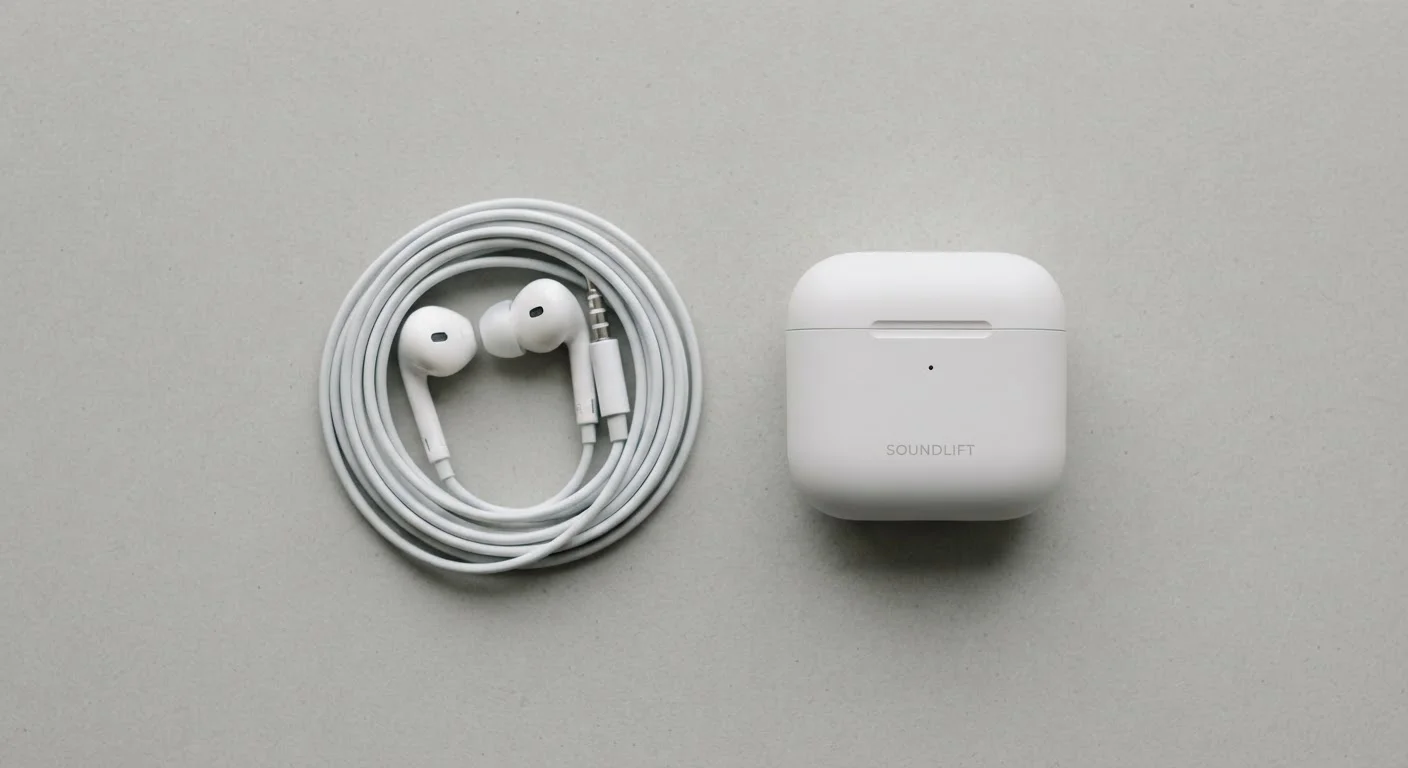
Photo: TrendingResults.net | Discover More, Trend More editorial
Key Takeaways
- Wired earbuds deliver audio with zero latency and no compression, making them reliable for studio monitoring and gaming.
- Wireless earbuds use Bluetooth codecs that compress audio, though higher-end codecs narrow the quality gap noticeably.
- Wireless earbuds introduce latency - typically 20-200ms depending on the codec - which matters most for video sync and gaming.
- Battery life is a real constraint for wireless earbuds; wired earbuds draw power directly from the source device.
- The headphone jack is disappearing from many smartphones, pushing some users toward wireless or adapters.
- Neither format is universally superior - the right choice depends on your specific listening context and priorities.
The Core Difference: Signal Path and What It Costs You
The fundamental difference between wired and wireless earbuds isn't just the cable - it's the entire signal path the audio travels. Wired earbuds receive an analog or digital audio signal directly from the source device. Wireless earbuds receive a Bluetooth radio signal that has been encoded, transmitted, and decoded before it reaches the driver in your ear.
That encoding process - handled by what's called a codec - introduces two practical consequences: compression and latency. Compression means the audio data is reduced to fit within Bluetooth's bandwidth limits. Latency means there's a measurable delay between the source audio and what you hear. How much either matters depends entirely on what you're doing.
For casual music streaming, most listeners won't detect the difference between a wired connection and a high-quality Bluetooth codec like aptX HD or AAC. But for video watching, gaming, or professional monitoring, both compression artifacts and sync delay become much harder to ignore.
| Criterion | Wired Earbuds | Wireless Earbuds |
|---|---|---|
| Latency | Effectively zero | 20-200ms (codec-dependent) |
| Audio compression | None (uncompressed signal) | Varies by codec (SBC to LDAC) |
| Battery required | No - draws from host device | Yes - built-in, needs charging |
| Cable management | Cable required; can tangle | No cable; fully wireless |
| Active Noise Cancellation | Passive isolation only | ANC available on many models |
| Headphone jack dependency | 3.5mm or USB-C required | No jack needed |
| Interference risk | None | Possible in crowded RF environments |
| Setup required | Plug in and play | Initial Bluetooth pairing needed |
Latency in Practice: When Milliseconds Matter
Latency - the delay between audio output at the source and what you hear - is effectively zero on a wired connection. Wireless connections are a different story. Standard Bluetooth SCO links used for calls can hit 150-200ms of delay. Modern codecs like aptX Low Latency or LC3 (used in Bluetooth LE Audio) target delays under 40ms, which most people won't consciously notice in casual use.
The threshold where latency becomes visually noticeable in video is generally cited around 20-45ms - tight enough that many wireless earbuds still fall outside it depending on the codec your specific device pair negotiates. Gamers and video editors should treat this as a real constraint when evaluating wireless options.
~40ms
Target latency for aptX Low Latency codec
The aptX Low Latency specification targets end-to-end audio delay below 40ms, which Qualcomm describes as below the threshold of perceptible lip-sync error.
990kbps
Maximum bitrate of Sony's LDAC codec
Sony's LDAC codec can transmit audio at up to 990kbps over Bluetooth - roughly three times higher than standard SBC - under optimal signal conditions.
328kbps
SBC codec maximum bitrate (universal fallback)
SBC is the mandatory baseline codec every Bluetooth audio device must support; its maximum bitrate is approximately 328kbps, lower than most high-resolution audio sources.
It's worth noting that codec compatibility requires support on both the earbuds and the source device. A pair of earbuds advertising aptX will only use that codec if your phone also supports it - otherwise both devices fall back to the universal but lower-quality SBC codec.
Audio Fidelity and Codec Support
Wired earbuds, when connected via a standard 3.5mm analog jack, deliver an uncompressed audio signal limited only by the quality of the earbud's driver and the source device's digital-to-analog converter (DAC). USB-C wired connections can carry digital audio that gets decoded by a DAC inside the earbud itself - a setup capable of high-resolution audio if both components support it.
Wireless audio quality has improved substantially. The aptX HD codec supports 24-bit audio up to 576kbps. Sony's LDAC, available on Android devices and many Sony earbuds, can transmit up to 990kbps - approaching lossless quality under ideal radio conditions. Apple's AAC implementation on its own devices is tightly optimized and performs well in practice, even if the raw spec looks modest compared to LDAC.
The caveat is that Bluetooth bandwidth is shared radio spectrum. In congested environments - crowded transit, busy offices - signal interference can cause dropout or force a codec downgrade. Wired connections don't have this vulnerability.
Bluetooth LE Audio and the LC3 Codec
Battery, Convenience, and the Disappearing Headphone Jack
Wireless earbuds require their own power source. Most consumer models offer four to eight hours of playback per charge, with the charging case extending total use to 20-36 hours between case charges. That's sufficient for most daily use patterns, but it adds a device to your charging routine and introduces the possibility of dead earbuds at an inconvenient moment.
Wired earbuds draw power directly from the host device - typically adding negligible drain compared to the display and processor. They also require no pairing, have no firmware to update, and have no moving parts that wear out (beyond the cable itself, which is the most common failure point).
The practical complication for wired users is hardware availability. Many current smartphones - across multiple major manufacturers - ship without a 3.5mm headphone jack. Users relying on wired earbuds with these devices need either USB-C earbuds or a DAC adapter dongle. The adapter route works reliably but adds a physical component that can be lost or forgotten.
For readers navigating the broader landscape of device connectivity and mobile standards, our overview of how your phone connects to networks and devices offers useful context on how hardware decisions ripple across the user experience.
This article provides general consumer education about audio technology. Individual product performance varies; verify specifications with manufacturers before purchase.
The content on this site is provided for informational purposes only and should not be considered a substitute for professional advice. While we strive to provide accurate and up-to-date information, we make no guarantees regarding its completeness or accuracy. Always consult a qualified professional for advice specific to your circumstances before making any decisions.