
Paper Budgets vs. Spreadsheets vs. Budgeting Apps: Matching the Tool to Your Habits

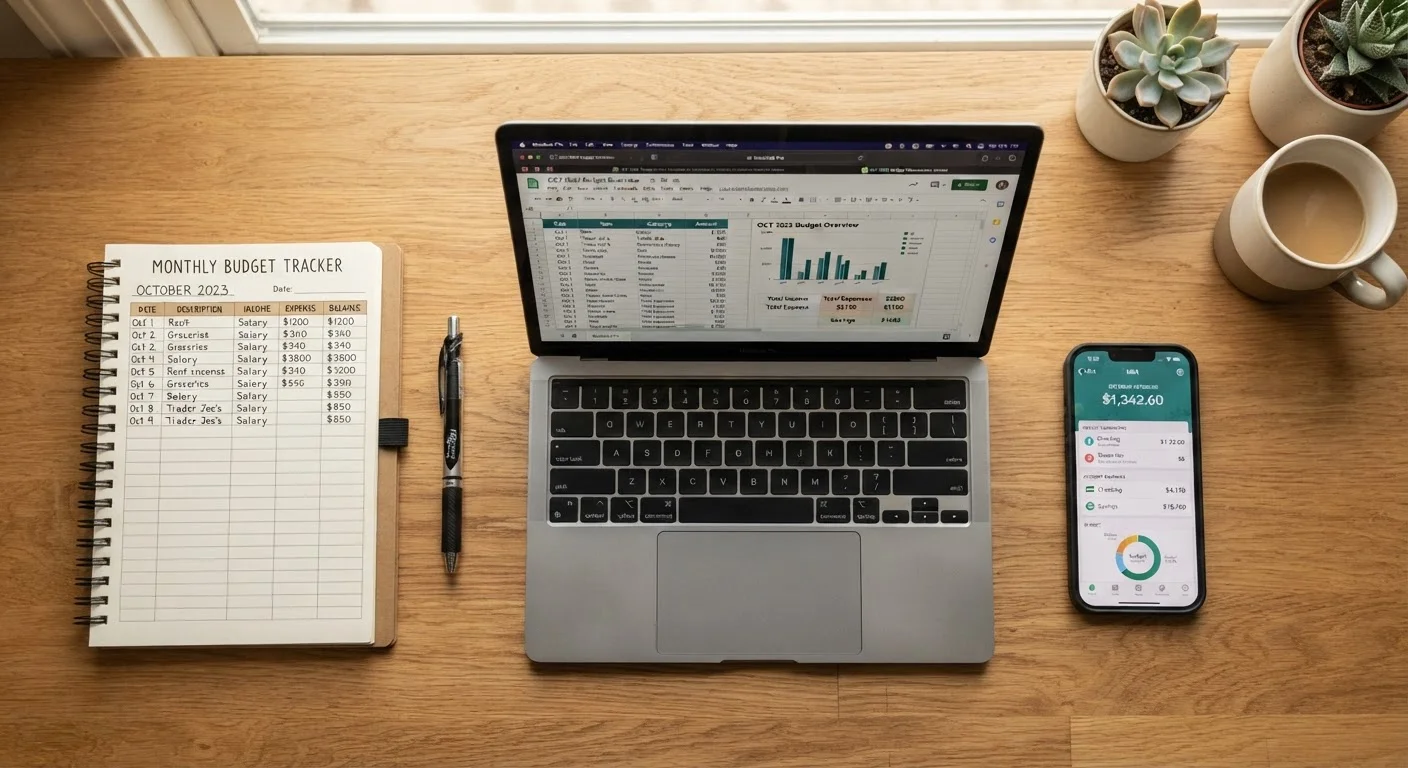
Photo: TrendingResults.net | Discover More, Trend More editorial
Key Takeaways
- No single budgeting format is objectively superior - consistency matters more than the tool you choose.
- Paper budgets build tactile awareness of spending but require more manual upkeep.
- Spreadsheets offer full customization but have a steeper learning curve for some users.
- Budgeting apps automate tracking but raise privacy considerations and may carry subscription costs.
- Matching the format to your existing habits dramatically improves long-term follow-through.
Why the Format You Choose Actually Matters
Budgeting only works if you actually do it. That sounds obvious, but it explains why so many people abandon a system within weeks - they chose a format based on what sounded responsible rather than what fits how they naturally operate. Before you commit to any tool, it helps to understand the genuine trade-offs. If you're still fuzzy on terms like net income or discretionary spending, brush up on the core vocabulary first, since every format uses the same underlying concepts.
The three dominant formats - pen-and-paper, spreadsheets, and dedicated budgeting apps - each carry distinct advantages and friction points. Understanding those trade-offs lets you make a deliberate choice rather than defaulting to whatever someone else recommended.
Paper Budgets: Low Tech, High Intentionality
Writing numbers down by hand creates a level of deliberate attention that screens often don't. Research in cognitive psychology consistently finds that handwriting reinforces memory and comprehension more strongly than typing, and many people find that manually recording every expense makes overspending feel more real and immediate.
Strengths: Zero cost, no internet required, no privacy concerns, and no learning curve. Paper budgets work well for people following structured methods like the envelope system - see zero-based budgeting versus the envelope method for a closer look at both approaches.
Limitations: Arithmetic errors are easy to make and hard to catch. There's no automatic calculation, no historical tracking across months, and no way to spot trends over time without significant manual effort. Paper also requires discipline to update daily or weekly - a missed week can mean lost data.
Start With What You'll Actually Use
Paper budgets suit people who prefer simplicity and don't want to rely on technology. They work especially well alongside cash-based spending systems where physical money limits are already built in.
Spreadsheets: Powerful but Only as Good as Your Setup
A well-built spreadsheet is the most flexible budgeting tool available. You define every category, every formula, and every visual. Programs like Google Sheets (free, cloud-synced) or Microsoft Excel give you the ability to model irregular income, build out sinking fund trackers, and create charts showing spending trends month over month.
Strengths: Fully customizable, free or low-cost, shareable with a partner, and capable of handling complexity that apps sometimes flatten. Couples who want a shared real-time view often find a cloud-based spreadsheet a practical middle ground - something worth considering if you're managing finances with a partner.
Limitations: You must enter every transaction manually unless you build custom import tools. A poorly structured spreadsheet can mislead you as easily as it informs you. There's also a real setup cost - building a useful template from scratch takes time, and many people either over-engineer it or give up before it's functional.
| Paper Budget | Spreadsheet | Budgeting App | |
|---|---|---|---|
| Cost | Free | Free to low-cost | Free to ~$15/month |
| Setup time | Minutes | Hours (custom) or minutes (template) | Minutes |
| Data entry | 100% manual | 100% manual | Mostly automated |
| Customization | Fully flexible | Fully flexible | Limited by app design |
| Privacy risk | None | Low (local file) or moderate (cloud) | Higher (bank link required) |
| Historical trend tracking | Difficult | Strong | Strong |
| Best for | Tactile, low-tech users | Detail-oriented planners | Busy, tech-comfortable users |
Spreadsheets particularly shine for people with variable or irregular income, since they can be adapted to model worst-case and best-case revenue scenarios month by month.
Budgeting Apps: Convenient but Not Consequence-Free
Dedicated budgeting apps handle the most tedious part of tracking: data entry. By connecting to bank accounts and credit cards, many apps automatically categorize transactions and update balances in near real time. For people who have struggled with manual systems, this automation can be transformative.
Strengths: Low friction to maintain, often include alerts for overspending, and provide visual summaries of patterns that help identify where money is quietly disappearing - a problem explored further in spending categories most templates forget. Apps are also accessible from any device.
Limitations: Connecting bank accounts means granting a third party access to sensitive financial data - a trade-off worth understanding before signing up. Some apps carry monthly or annual fees. Auto-categorization is imperfect and may require manual corrections. And the ease of the tool can paradoxically reduce engagement: if the app does everything, some users stop paying attention to the numbers at all.
If you've been relying on a general sense of your finances rather than a structured system, vague awareness rarely holds up under scrutiny - and an app's automated tracking can make the gap between perception and reality very visible, very quickly.
How to Decide Which Format Fits You
Before choosing, answer three practical questions:
- How often will you realistically update it? Daily updaters can thrive with paper or spreadsheets. Sporadic updaters need automation - lean toward an app.
- How much do you value customization? If you want to track granular categories like needs, wants, and savings buckets in your own way, a spreadsheet gives you that control. Apps impose their own category logic.
- What's your privacy threshold? If connecting financial accounts to a third-party service feels uncomfortable, paper or a locally saved spreadsheet keeps your data entirely in your hands.
There's no obligation to stay with one format permanently. Many people start with an app to get a baseline picture of their spending, then migrate to a spreadsheet once they know which categories matter most to them. What matters is that your system gives you an accurate, current view of income versus outflow - and that you actually check it.
This article is for general informational and educational purposes only and does not constitute personalized financial advice. Consult a licensed financial professional for guidance specific to your situation.
The content on this site is provided for informational purposes only and should not be considered a substitute for professional advice. While we strive to provide accurate and up-to-date information, we make no guarantees regarding its completeness or accuracy. Always consult a qualified professional for advice specific to your circumstances before making any decisions.