
Internet Speed Test Results: What the Numbers Actually Mean

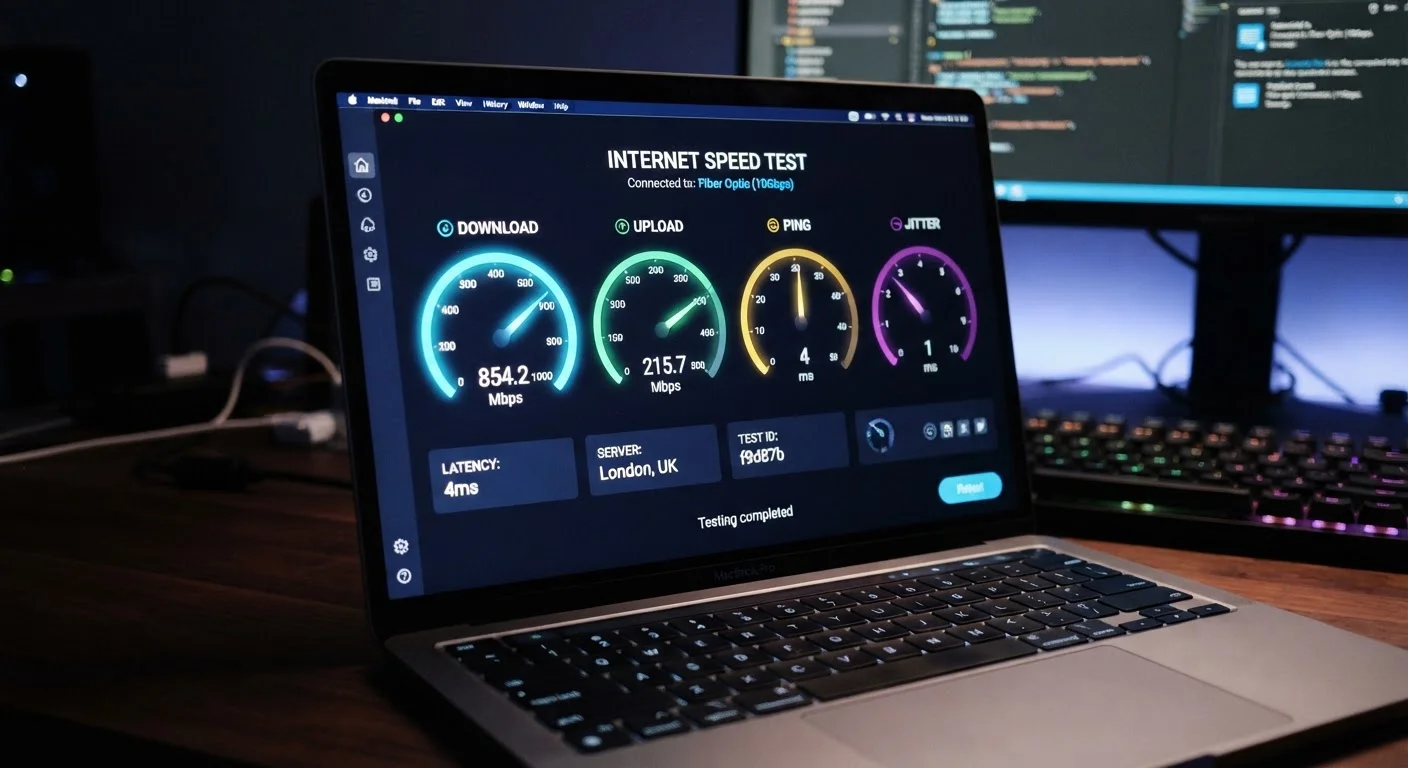
Photo: TrendingResults.net | Discover More, Trend More editorial
The Four Numbers Every Speed Test Shows
Running a speed test takes ten seconds. Making sense of the results takes a little longer. Most speed tests return four core metrics: download speed, upload speed, ping, and jitter. Each measures something distinct, and conflating them leads to misreading a connection that's actually fine - or missing one that isn't.
| Standard speed test metrics | Download, Upload, Ping, Jitter |
| FCC minimum broadband definition | 25 Mbps download / 3 Mbps upload (FCC, as of 2024 fixed broadband definition update to 100/20 Mbps) |
| Ping considered excellent | Under 20 ms |
| Jitter threshold for call quality issues | Above 30 ms |
| Speed unit used in ISP plans | Mbps (megabits per second) |
| Best device for accurate testing | Wired (Ethernet) connection to modem |
Download speed, measured in megabits per second (Mbps), reflects how quickly data travels from the internet to your device. It governs streaming video, loading web pages, and pulling files from cloud storage. Upload speed measures the reverse flow - from your device outward - and matters most for video calls, cloud backups, and sending large files. Download and upload speed serve very different purposes, yet ISPs typically advertise only the download figure.
Ping and jitter both measure latency, but they aren't the same thing. Ping (also called round-trip time) is the time in milliseconds (ms) it takes a data packet to travel to a server and return. Jitter measures how much that round-trip time varies between successive packets. A stable connection has low, consistent ping; an unstable one produces high jitter even when average ping looks acceptable.
What 'Good' Looks Like for Each Metric
There is no single universal threshold for a "good" speed test result - it depends on what you're doing. That said, established benchmarks exist for common use cases.
Download Speed
The rate at which data travels from the internet to your device, measured in megabits per second (Mbps). Higher values mean faster page loads, smoother streaming, and quicker file downloads.
Upload Speed
The rate at which data travels from your device to the internet, measured in Mbps. Critical for video calls, live streaming, and sending large files.
Ping (Round-Trip Time)
The time in milliseconds (ms) for a data packet to travel from your device to a server and back. Lower ping means more responsive connections, especially for gaming and real-time communication.
Jitter
The variation in ping over successive measurements, expressed in milliseconds. High jitter causes choppy audio and unstable video even when average ping appears acceptable.
Mbps
Megabits per second - the standard unit for measuring internet connection speed. One megabit equals one million bits; this is distinct from megabytes (used for file sizes), which are eight times larger.
Latency
The delay between sending a request and receiving a response over a network. Ping is the most common latency measurement in speed tests.
Download speed: The U.S. Federal Communications Commission (FCC) has historically defined broadband as a minimum of 25 Mbps download. For a household with multiple simultaneous users streaming HD video, remote working, and gaming, realistic needs are considerably higher. Estimating the right speed tier for your home requires accounting for the number of devices and activity types running at the same time.
Upload speed: A video call platform like Zoom generally recommends at least 3 Mbps upload for HD group calls. Live streaming at 1080p typically requires 6-10 Mbps sustained upload. If your plan offers asymmetric speeds - far more download than upload - and you rely heavily on outbound data, this gap matters more than the headline number.
Ping: Under 20 ms is considered excellent and is typical of fiber connections. 20-50 ms is good for most uses. Competitive online gaming becomes noticeably affected above 100 ms, and video calls begin degrading above 150 ms.
Jitter: Values under 10 ms are generally imperceptible. Above 30 ms, voice and video calls may experience audio breakup or pixelation. High jitter with acceptable average ping often points to network congestion or Wi-Fi interference rather than your plan's raw capacity. Fiber connections tend to produce lower and more consistent jitter than cable, particularly during peak evening hours.
Test Conditions Affect Your Results
Why Your Results May Not Reflect Your Plan
Speed test results are a snapshot of one path between your device and one server at one moment. They don't represent your plan's ceiling. Several variables routinely push results below advertised speeds without any fault on the ISP's part - and several others point to real problems worth investigating.
Wi-Fi vs. wired: Testing over Wi-Fi introduces the wireless link as a variable. An older router, physical distance from the access point, or interference from neighboring networks can all cap measured speeds well below what your modem receives. For a true read on your plan's performance, connect a device directly to the modem via Ethernet before drawing conclusions.
Server selection: Speed test platforms route your test to a nearby server. If that server is congested or geographically distant, results suffer. Running the same test against multiple servers - or using more than one testing tool - produces a more reliable picture.
Plan-level throttling and contention: ISP marketing language often uses "up to" phrasing, meaning the advertised speed is a ceiling, not a floor. Understanding what "up to" speeds actually mean in practice helps set realistic expectations and identify when an ISP is genuinely underdelivering versus when the limitation is local.
If repeated wired tests at off-peak hours consistently return speeds significantly below your plan's advertised rate, that's a legitimate basis for contacting your provider or evaluating alternatives. A single result, especially over Wi-Fi, rarely tells the whole story.
The content on this site is provided for informational purposes only and should not be considered a substitute for professional advice. While we strive to provide accurate and up-to-date information, we make no guarantees regarding its completeness or accuracy. Always consult a qualified professional for advice specific to your circumstances before making any decisions.